Order Central

Every order.
One till.

The counter, your tables, your website, QR at the table, the AI phone and Uber Eats: one screen, the right station, paid.

And when the internet drops, it keeps selling.

CounterWebsiteQR tableAI phoneUber EatsGrillFryerShakesExpo

Every channel, one till, the right station

Orders from the counter, your website, QR codes, the AI phone agent and Uber Eats land on the same till and go straight to the station that makes them.

Two apps, one system

Divine POS on the counter.
Divine Mobile in your pocket.

Order Central runs the restaurant from the web. Its two apps run the floor: Divine POS at the counter and in the kitchen, Divine Mobile on the phones of owners and staff.
Menu(QSR)Menu · 11:00 AM – 11:00 PM7:42 PM2MARIA L.Central Burger Co. · Counter
Popular9Search menu
9:41
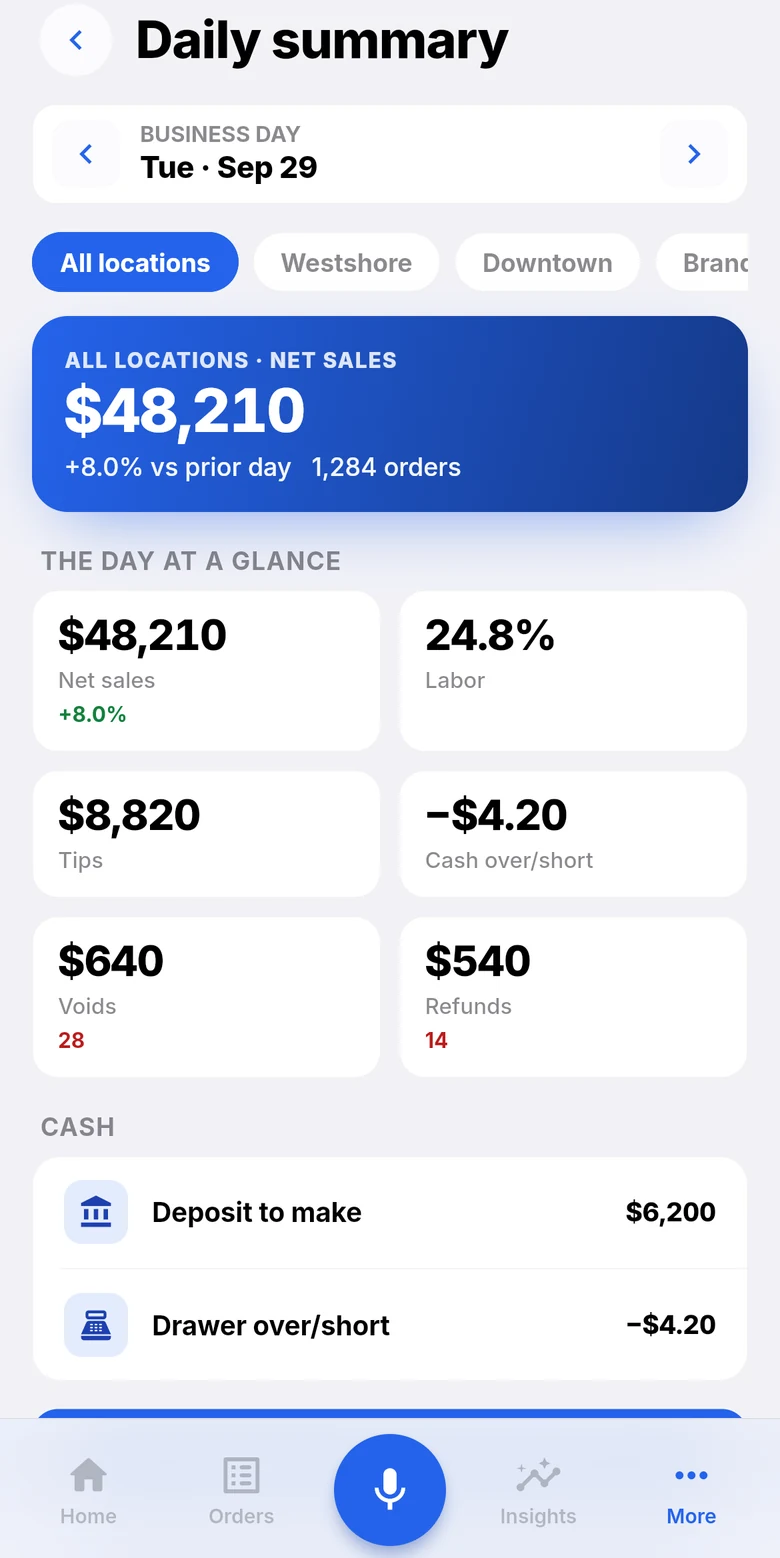
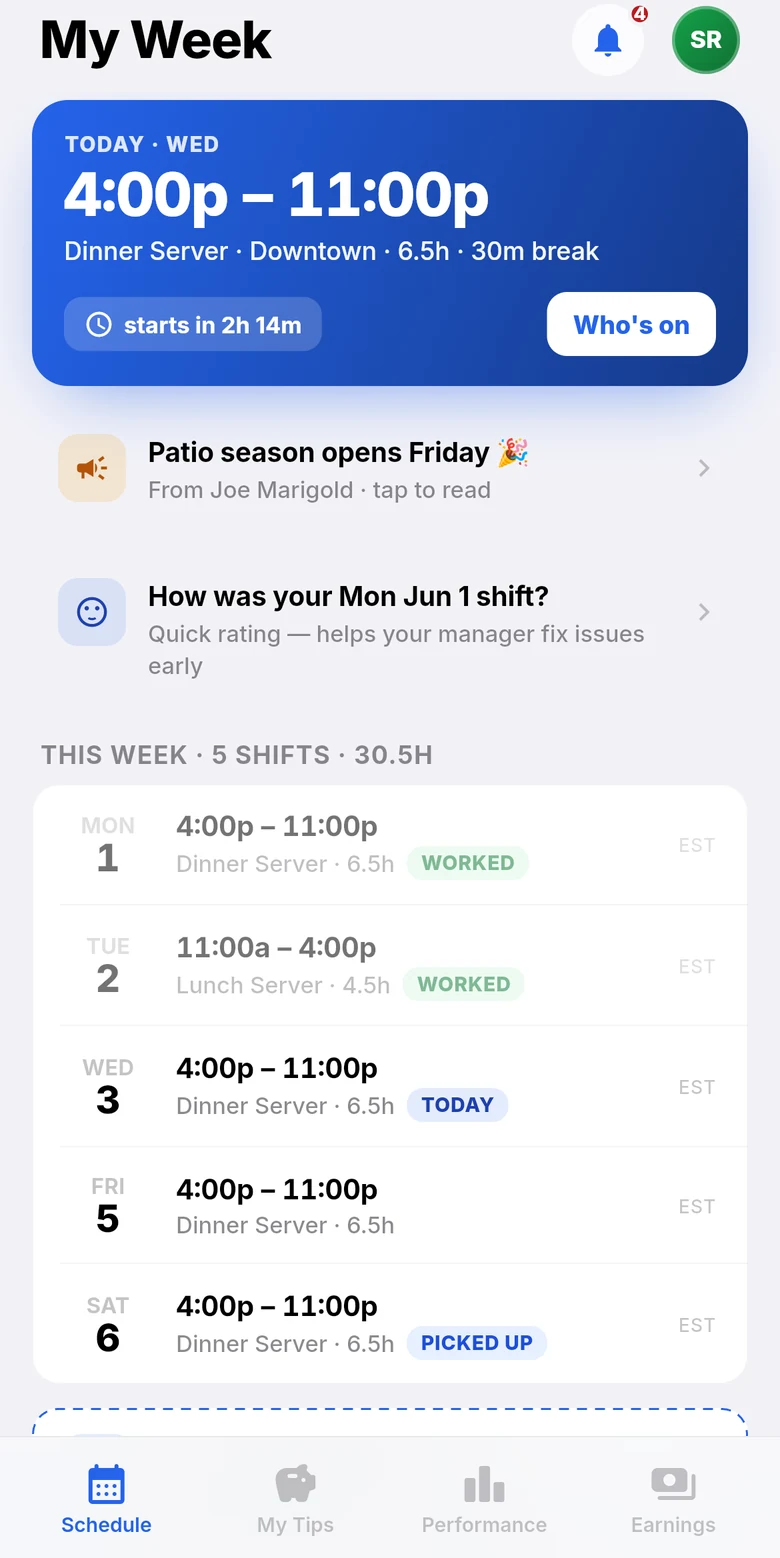
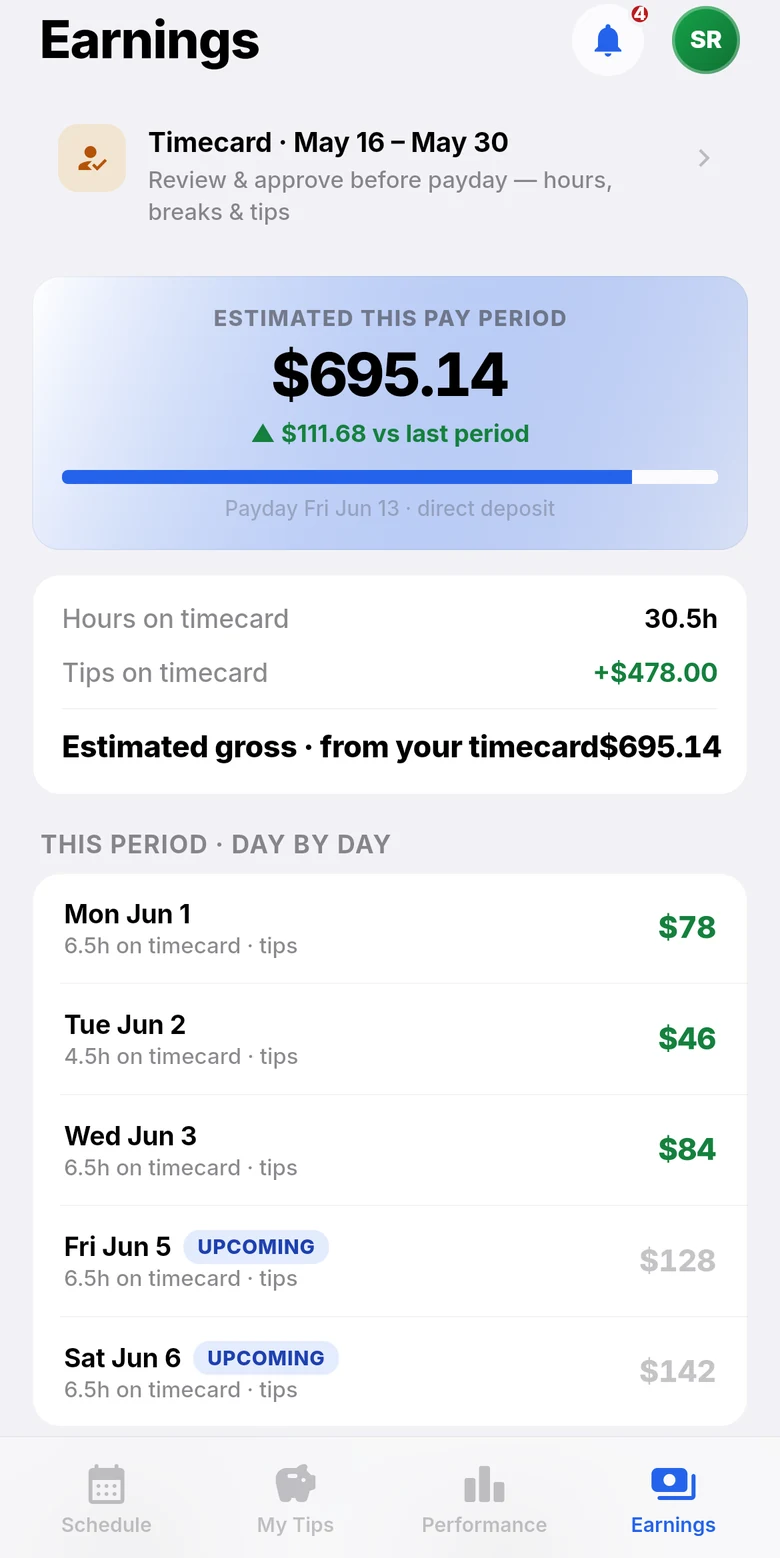
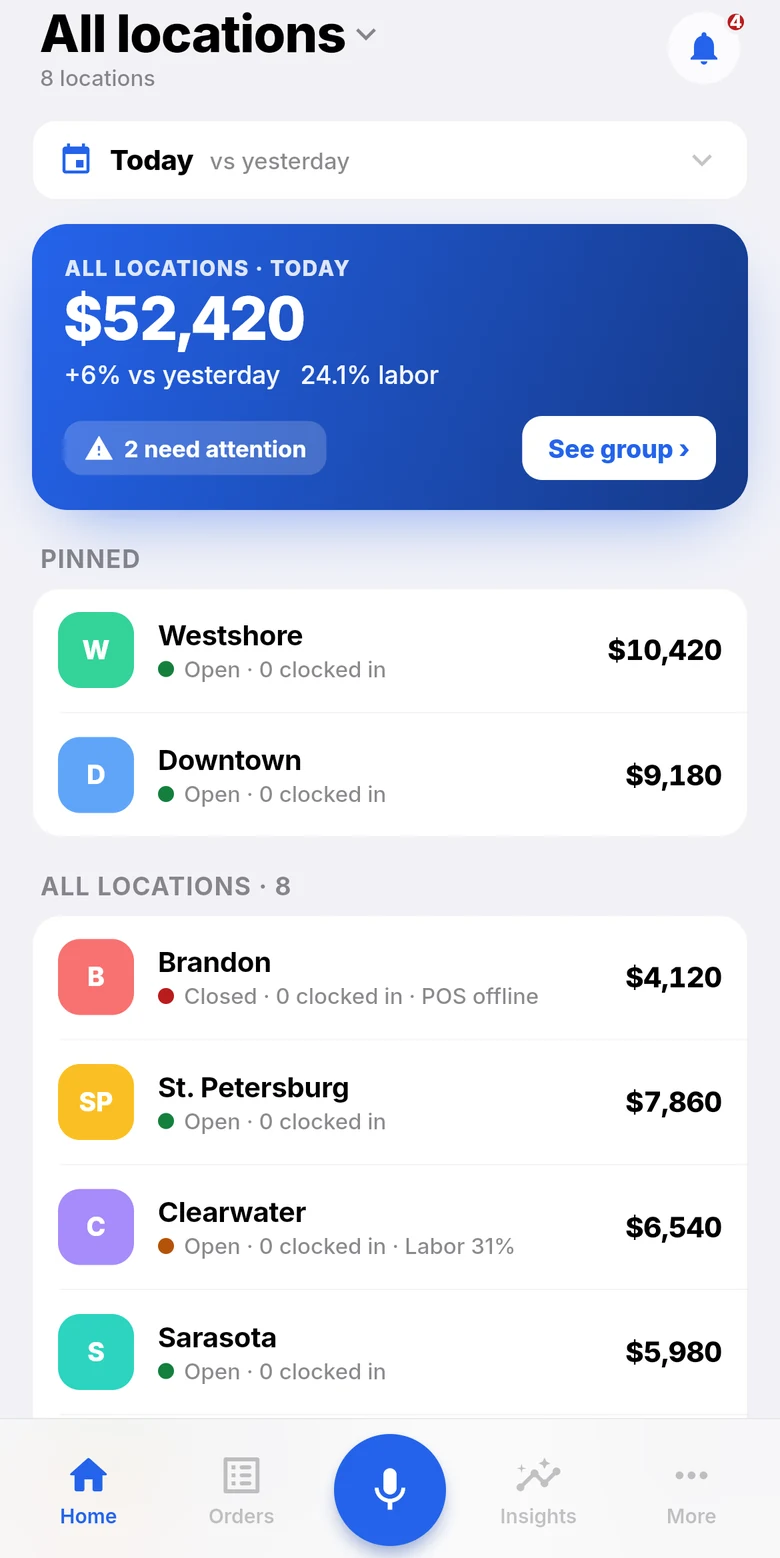
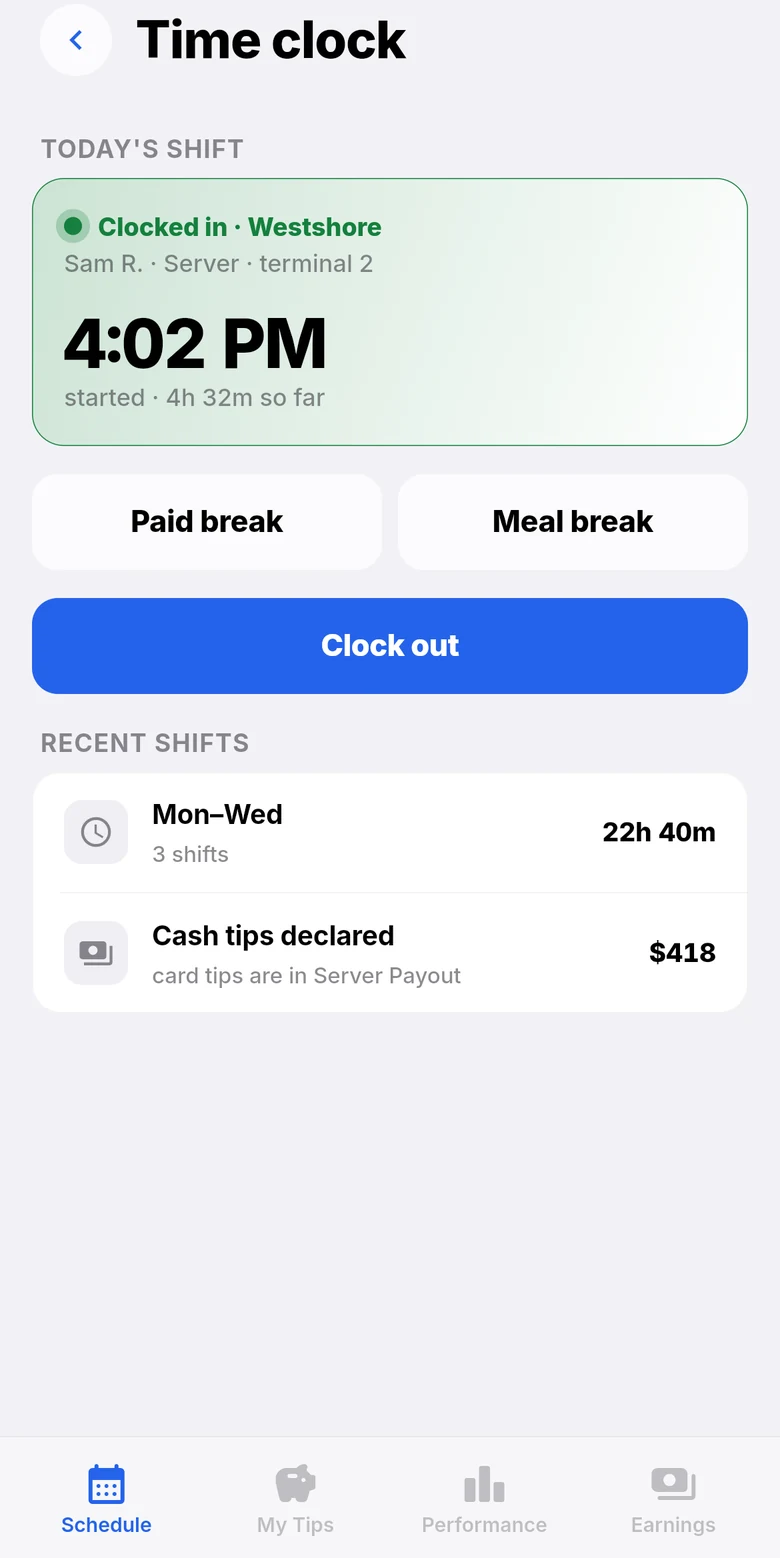
Divine Mobile for owners: sales across all locations today.Divine Mobile for staff: clocked in at Westshore, with paid break, meal break and clock out.Divine Mobile for owners: the daily summary with net sales, labor, tips and cash.Divine Mobile for staff: today’s shift and the week ahead.
Divine POS

The till, the tables and the kitchen

Android tablets at the counter, on the floor and on the kitchen wall.

  • Orders by photo, with sizes, add-ons and notes
  • Tables, split checks, bar tabs, courses
  • Kitchen screens with live timers
  • Keeps selling offline
Divine POS
Divine Mobile

For owners and for staff

One phone app: owners watch the business, staff run their week.

  • Every location live, and the daily close
  • Approvals, staff, tips and payroll
  • Staff: schedule, clock in, tips, earnings
  • Ask for cover or pick up a shift
Divine Mobile
Order Central

The Admin on the web

Where the menu, the money, the team and every location are set up.

  • One menu for the till, website and phone
  • Payments, settlements and cash drawers
  • Schedules, tips and payroll export
  • One location or all of them
All modules
5:02 PMThe counter

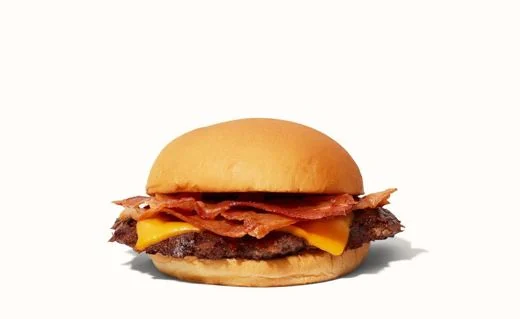
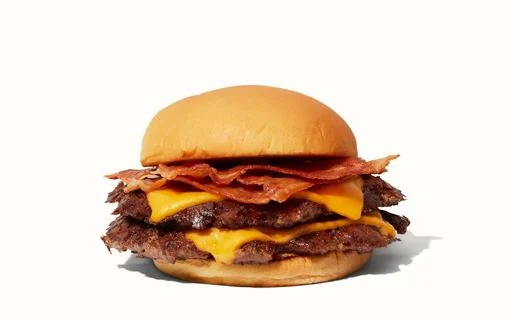
Photos on the buttons. Notes on the ticket.

Staff find any item by its photo or by typing two letters. Sizes and add-ons price themselves, and notes go to the kitchen.

Cheeseburger+ $10.49
Bacon Cheeseburger+ $12.59
Double Bacon Cheeseburger+ $16.39
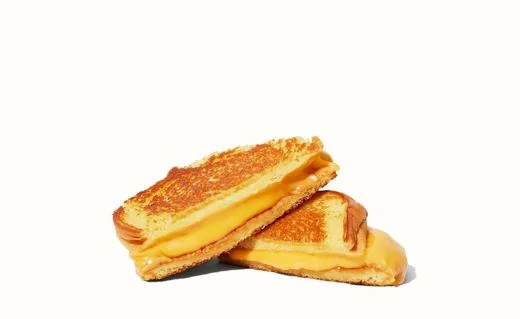
Grilled Cheese+ $7.49
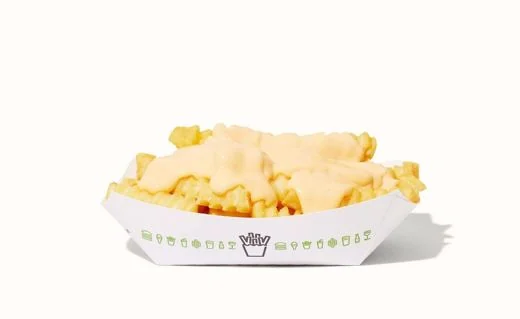
Cheese Fries+ $7.49
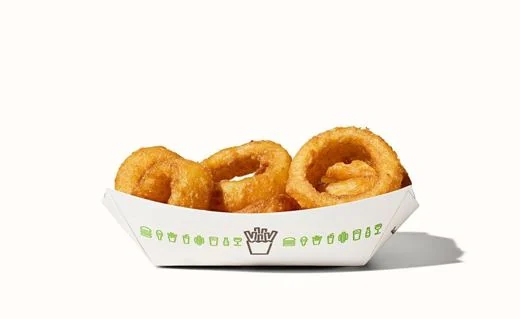
Onion Rings+ $6.99

Find it by photo

Every item shows its picture. Or type two letters and the menu narrows as you go.

Single$10.49
Double$13.89
Triple$17.59
Quick notes
No onionsExtra spicyMedium rareNo saltGluten free

Options that price themselves

Single, double or triple, add bacon or avocado, tap a quick note. The kitchen sees the note in yellow.

Split by seator evenly, any number of waysSplit
Hold the ordersend it when the table is readyHold
Fire the next coursemains after startersFire
Bar tabthe card held until closeOpen tab

Checks that fit the table

Split by seat or evenly, hold an order, fire the next course, keep a bar tab open with the card held.

5:40 PMThe phone rings

The AI answers. The kitchen gets the ticket.

Your restaurant's number is answered by an AI voice agent that knows your menu and your prices, and takes the order.

AI agentLIVE CALL

AI agentThanks for calling Central Burger Co. What can I get for you?

GuestTwo double bacon cheeseburgers and a cheese fries, for pickup.

AI agentTwo Double Bacon Cheeseburgers and one Cheese Fries. What name should I put it under?

GuestSam.

AI agentThanks, Sam. That's $40.27 plus tax.

Every call answered

It greets callers with your greeting and takes the order the way your staff would, even in the middle of the rush.

Straight to the kitchen

The order lands on the till and in the kitchen like any other. Nobody writes it down, nobody reads it back twice.

AI answers & takes ordersAn AI voice agent picks up, greets callers, and can take an order over the phone.
Agent namee.g. Nick
Welcome greetingThank you for calling! How can we help?

One switch to turn it on

Name the agent, choose its voice, write the greeting and any house rules.

6:05 PMTable 12 orders from a phone

Your website. Your QR codes. Your guests.

Guests order pickup, delivery or at the table and pay from their phone. It lands on the till like any other order.
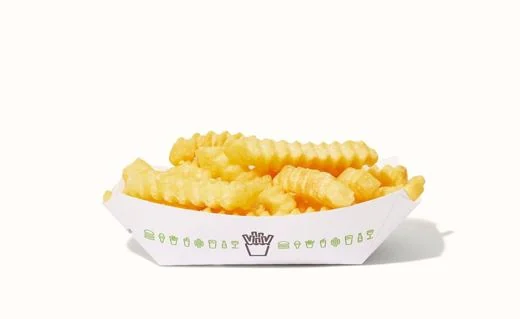
Central Burger Co.Table 12 · order and pay here
At the tablePickupDelivery
Double Bacon Cheeseburger$16.39
Cheeseburger$10.49
Bacon Cheeseburger$12.59
Cheese Fries$7.49
Onion Rings$6.99
Grilled Cheese$7.49
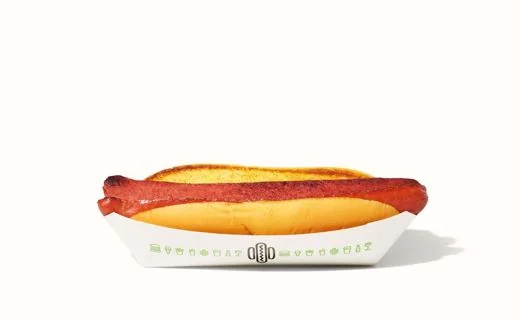
Hot Dog$6.29
Fries$6.29
View order0 items · $0.00

Order and pay from the table

Scan, order, add more later, pay. Tap + to try it.

Pickupnow, or for later7:55 PM
Deliveryyour drivers, a fee per mile2.4 mi
At the tablescan the QR, order, payTable 12

Pickup, delivery or at the table

Your own ordering site with orders for later, delivery by your own drivers with a fee per mile, and QR ordering at the table.

TillWebsiteQRAI phone

One menu everywhere

The till, your website, the QR codes and the AI phone agent read the same menu. Change a price once.

6:30 PMThe Uber Eats rush

Uber Eats, run from Order Central.

Orders arrive on your tills; the menu comes from Uber. Uber orders print in the kitchen and join the same board as everyone else's.

Central Burger Co.on Uber EatsONLINE
Accepting ordersPause when the kitchen is slammed
Prep timeWhat Uber tells the guest20 min
#4F2AAlex · 2 itemsIN THE KITCHEN

The store, from your screen

Pause the store, change the prep time, and watch Uber orders arrive with everything else. Try the switch.

1 · Connectsign in with UberConnect
2 · Storepick your Uber storeChoose
3 · Menubring it over from UberImport
4 · Hours & prepwhen you take ordersSet
5 · Go liveorders start arrivingGo live

Five steps to go live

Connect your Uber Eats account, pick the store, bring the menu over, set hours and prep, go live.

Uber EatsLIVEDoorDashCOMING SOONGrubhubCOMING SOON

More delivery apps on the way

Uber Eats works today. DoorDash and Grubhub are coming soon, the same way.

6:48 PMThe kitchen fills up

Every ticket to the station that makes it.

Burgers to the grill, fries to the fryer, shakes to the shake station, on a printer or a kitchen screen, and every ticket on the clock.

The Divine POS cook board, live: tickets count up, go amber, then red — and are marked ready as they leave.

WHAT YOU SELLSTATIONPRINTER OR SCREENBurgers & MoreSidesChickenShakes & DessertsGrillFryerShake stationGrill printerFryer printerKitchen screen
Burgers & More→Grill→Grill printer
Sides→Fryer→Fryer printer
Chicken→Fryer→Fryer printer
Shakes & Desserts→Shake station→Kitchen screen

Routing you set once

Choose where each category goes: a printer, a kitchen screen, or both. An expo screen can get the whole order. Hold courses and fire them when the table is ready.

#15Takeout0:26

1× Double Bacon Cheeseburger

1× Cheeseburger · DoubleMedium rare, No onions

#14Takeout14:44

1× Hot Dog · 1× Fries

#12Takeout24:15

1× Double Bacon Cheeseburger · 1× Cheese Fries

Every ticket on the clock

Green, then amber, then red. Bump with one tap, see all-day counts, recall a ticket.

Busy modefor when the line is out the door
Add to ready times1 to 60 minutes+15 min
Ready7:55 PM8:10 PM

Slammed? One tap.

Busy mode adds the minutes you choose to every ready time, so guests hear the truth.

Bump barone tile per ticketView
Kanbannew · cooking · ready · doneView
All-dayhow many of each to makeView

Kitchen screens, your way

Any tablet becomes a kitchen screen. Pick the layout each station likes.

7:00 PMThe host stand

Who's seated, who's next, who's coming back.

Reservations, the floor plan and the host stand on the same system as the till, and rewards that bring guests back.

T14 · 38m
T2open
T36 · food
T4open
T52 · 12m
T124 · QR
OpenSeatedWaiting on food

The floor at a glance

Every table's state on one floor plan, from seated to paid.

7:00 PM · Patelparty of 4 · booked onlineSeat
7:15 PM · Kimparty of 2 · windowSeat
7:30 PM · Ruizparty of 6 · birthdaySeat

Reservations and the host stand

Guests book on your website; the host sees tonight's list and seats them.

RewardsSam
420points

80 more points to a free Cheese Fries.

Rewards that bring them back

Guests earn points on every order and redeem them for rewards you choose.

7:15 PMThe internet drops

Pull the plug. Keep selling.

Orders wait on the tablet and send themselves when the connection is back. A card typed in is held encrypted and charged then.

Central Burger Co. · Counter ONLINE
Total due · Double Bacon Cheeseburger
$16.88
Card on the terminal
Back online · charging 0 cards at PayArc

No cards waiting.

Try it

Pull the plug, take a card or two, reconnect. That's what the till does. Nothing here is charged.

$100per card
$2,000per till, per day
25cards waiting at most
24 hoffline, then it stops taking cards
The defaults · you set your own

Limits you set

Offline cards are off until you turn them on. Every order and payment carries its own key, so nothing is sent or charged twice.

8:30 PMPaying

Tap, dip, swipe. Or pay part of it.

The guest adds the tip on the terminal and the total settles in one step.

$34.87
Add a tip?
18%$6.28
20%$6.97
25%$8.72
No tip 
TapInsertSwipe

The tip on the terminal

Tap, chip or swipe on a Dejavoo terminal. The guest picks the tip and signs; the total settles in one step.

Pay part on this card$20.00 now, the rest another way$20.00
Split evenly2 ways · $17.44 and $17.43Split
Surcharge 3%on card payments, if you use one+$1.02
Cashchange worked out for youCash

Split, pay part, surcharge

Pay part on one card and the rest on another, split a check evenly, add a card surcharge if you charge one. Refunds, voids and tip adjusts from the till.

Central Burger Co.Text message
Central Burger Co.: receipt for Order #16 — total $34.87. Add a tip / pay: pay.ordercentral.us/…

Receipts by text

The receipt goes by text with a link to add a tip or pay. Printed and e-mailed receipts carry a QR code for the tip. The same link pays for phone and catering orders.

Dejavoo · terminal & onlineBATCH CLOSED
PayArc · keyed & offlineSETTLED
Card money not settled after 26 hoursclose the batch or check the terminal

Every batch, checked

Card batches close on their own every day. If card money hasn't settled after 26 hours, you're told, with the amount.

11:30 PMClosing up

Tips, drawers and payroll before the lights go off.

Pool tips by your rule, count the drawer, approve timecards, export payroll.

Tonight's tip pool$412.60

Tip pools by hours, points or evenly

Pools and tip-outs follow the rule you pick, and land on payroll. Try the three rules.

Count the drawer

Drops, paid-ins and paid-outs through the night; count by bill at close and see the difference.

ADPpayroll fileExport
GustoCSV for GustoExport
QuickBookspayroll fileExport
CSVfor anything elseExport

Payroll, exported

Timecards with breaks and overtime become a payroll file for ADP, Gusto or QuickBooks, or a CSV.

MTWTFSS
Maria
Dev
Ana
Swap · Fri close · Dev → Ana

Schedules, swaps and time off

Build the week, approve swaps and time off, and staff clock in with their PIN on the till.

11:45 PMDivine Mobile

The whole night, in your pocket.

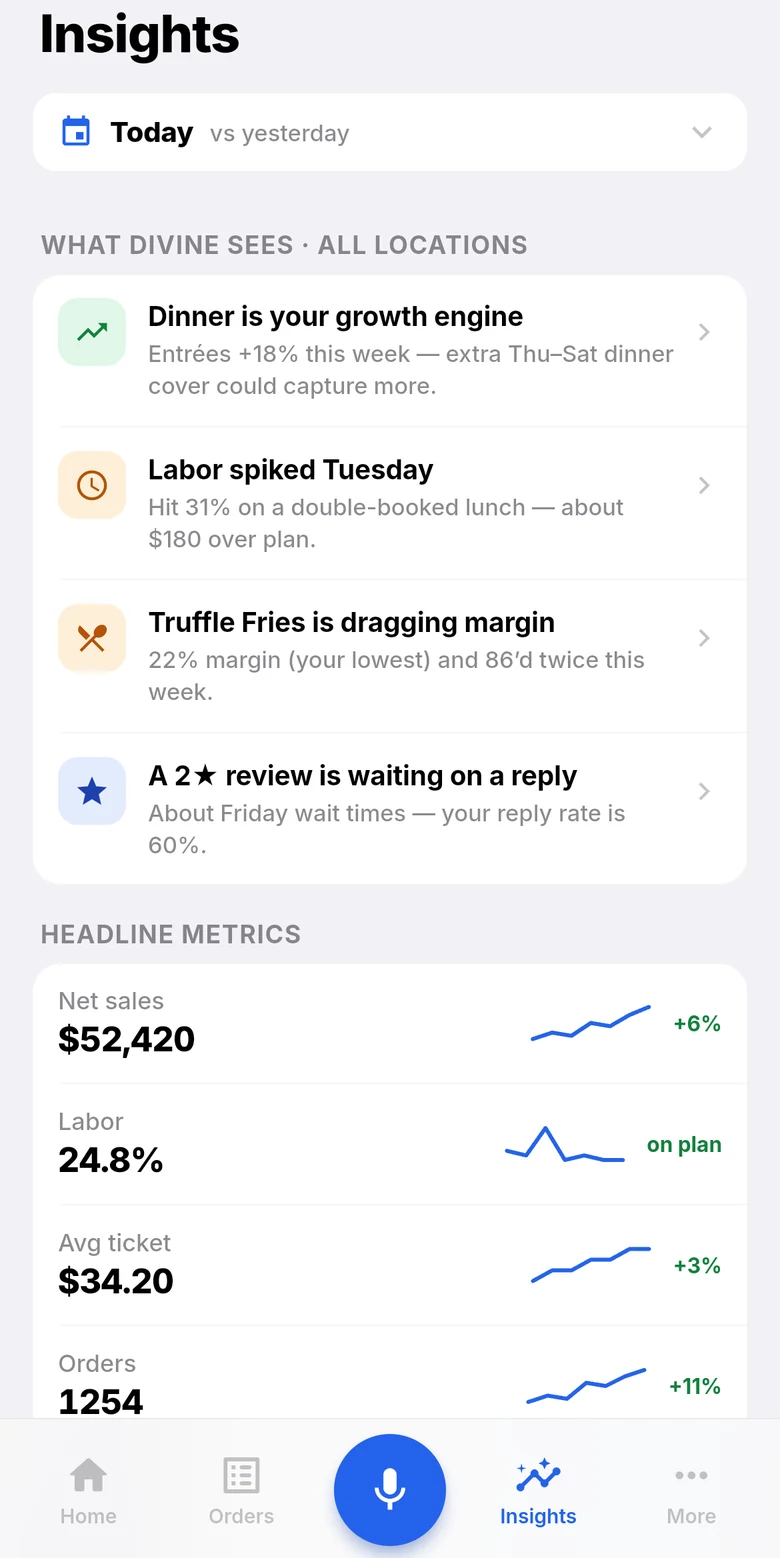
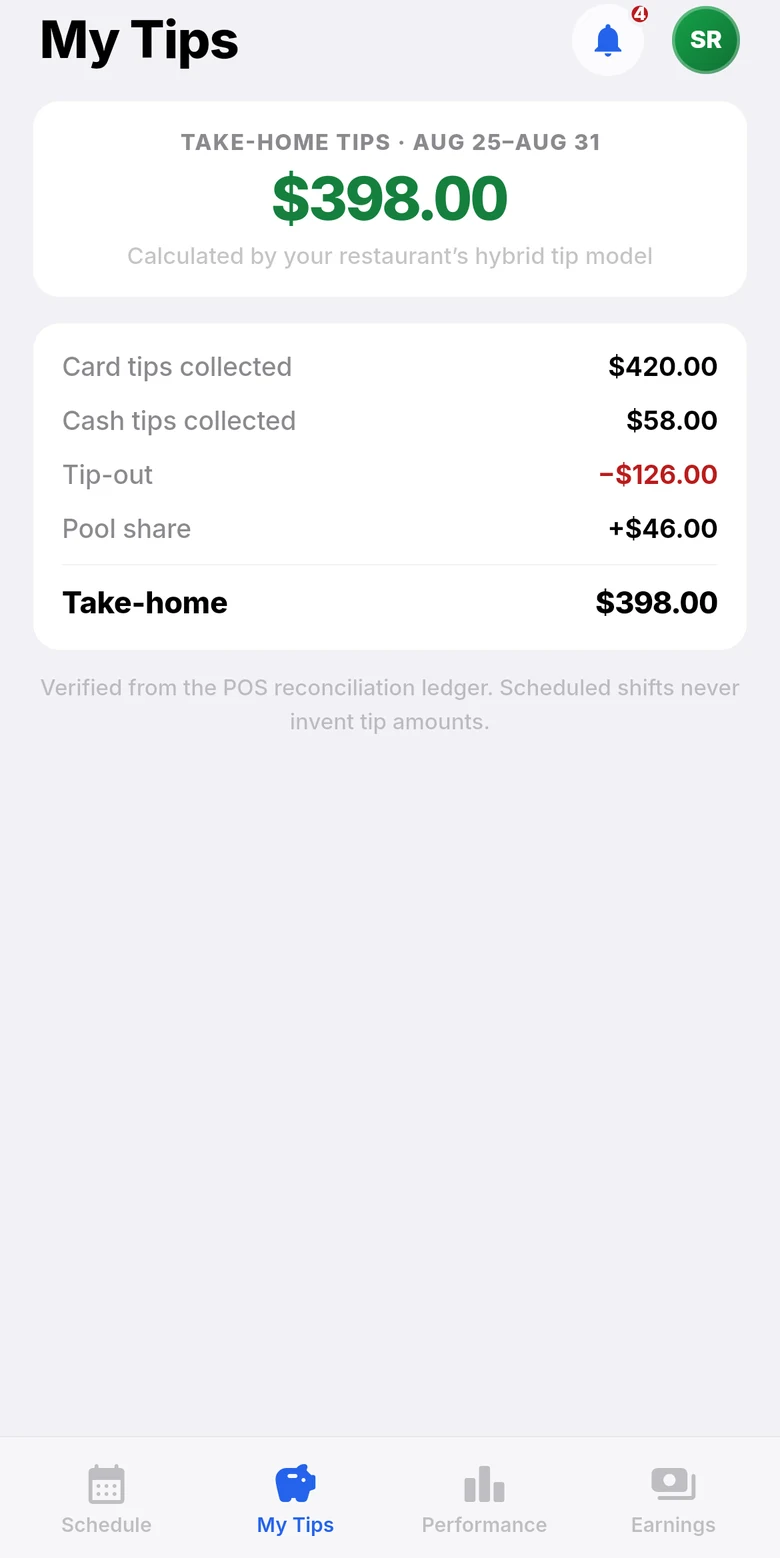
Owners see every location live and get the daily close. Staff see their week, clock in, check their tips and ask for cover — on their own phone.
9:41
Divine Mobile time clock: clocked in, breaks and clock out.Divine Mobile: my week, today’s shift and who’s on.Divine Mobile: this week’s take-home tips.
For staffTime clock, my week, tips
9:41
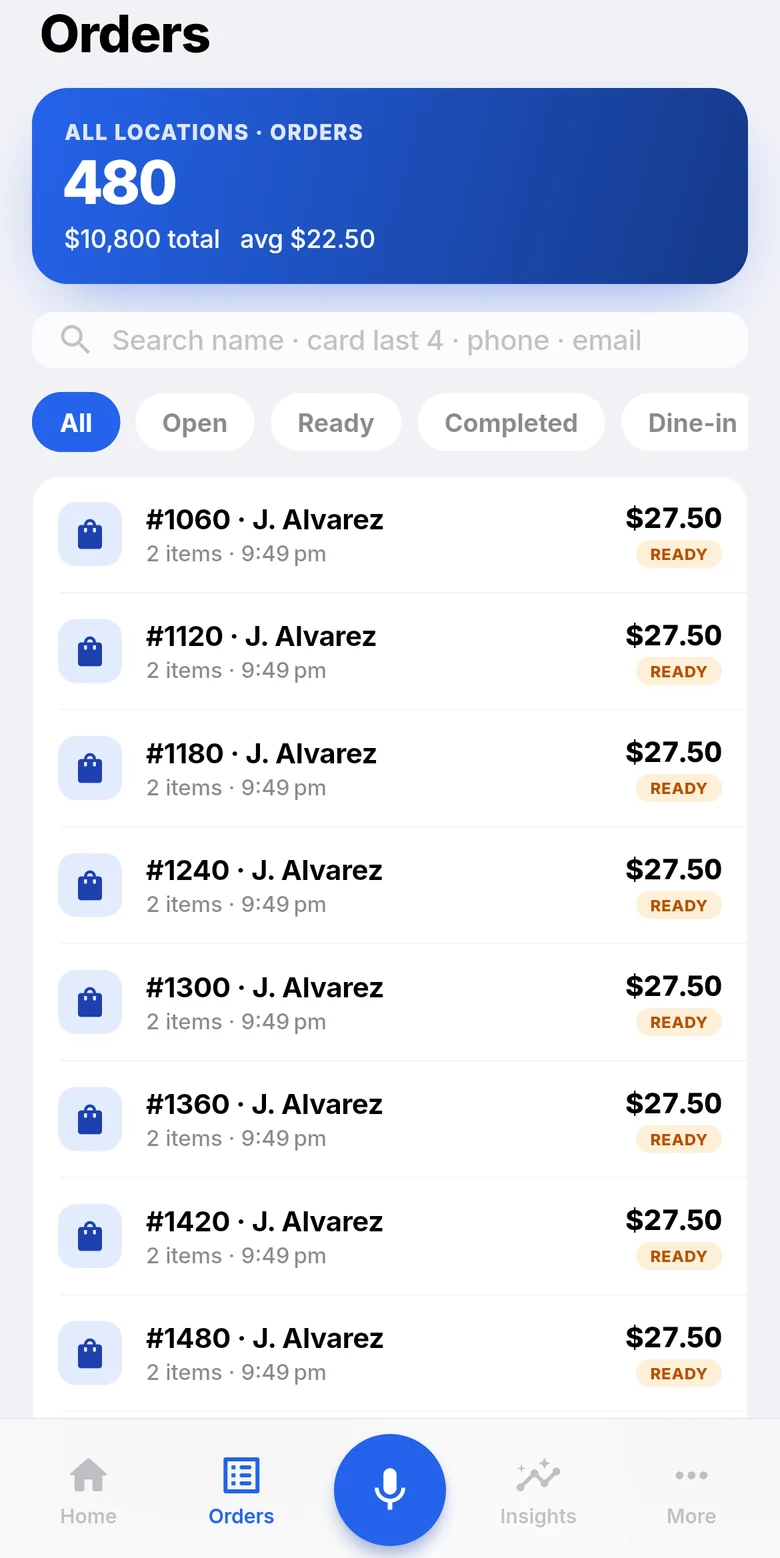
Divine Mobile for owners: sales across all locations today.Divine Mobile: orders across all locations.Divine Mobile: what changed today, and the headline numbers.
For ownersEvery location, live
9:41
Divine Mobile: the daily summary with net sales, labor, tips and cash.Divine Mobile: estimated earnings for this pay period.
At closeThe daily summary
For owners
  • Sales across every location, live
  • Orders and transactions
  • The daily summary, e-mailed to you
  • Approvals for time off and swaps
  • Staff, schedule, tips and payroll
For staff
  • My week: shifts and who's on
  • Clock in, breaks, clock out
  • Tips and earnings
  • Ask for cover, or pick up a shift
  • Availability
Everything in the box

One system, the whole restaurant.

What Order Central does today, end to end. Open any module for everything it does.

Divine POS

  • Counter and table service on Android tablets
  • Menu with photos, search, sizes, add-ons and notes
  • Split by seat or evenly; pay part on a card
  • Bar tabs with the card held
  • Hold orders, fire courses, 86 an item
  • Keeps selling offline
Everything in Divine POS

Kitchen

  • Kitchen screens: bump bar or kanban
  • Ticket timers, all-day counts, recall
  • Routing to printers and screens
  • Expo screen, coursing, busy mode
Everything in Kitchen

Online & QR

  • Your own ordering website
  • Pickup now or later, delivery with your drivers
  • QR ordering and paying at the table
  • One menu for the till, the site and the phone agent
Everything in Online & QR

AI phone

  • Answers every call with your greeting
  • Takes orders from your live menu
  • Orders land on the till and in the kitchen
  • Your number, set up or brought over
Everything in AI phone

Payments

  • Dejavoo terminals: tap, chip, swipe, tip on the terminal
  • Pay-by-link and receipts by text
  • Keyed and offline cards through PayArc
  • Surcharge, refunds, voids, tip adjust
  • Daily batch close, settlement alerts
Everything in Payments

Uber Eats & delivery

  • Uber Eats orders straight to the kitchen
  • Store status, prep time, menu import
  • Your own drivers, a fee per mile
  • DoorDash — coming soon
  • Grubhub — coming soon
Everything in Uber Eats & delivery

Tables & reservations

  • Reservations booked on your website
  • Tonight’s list at the host stand
  • The floor plan with every table’s state
Everything in Tables & reservations

Rewards & guests

  • Rewards points and guest profiles
  • Members looked up at the till
  • Saved cards and addresses online
Everything in Rewards & guests

Team & payroll

  • PIN clock-in, breaks and overtime
  • Schedules, time off, shift swaps, approvals
  • Tip pools, tip-outs, auto-gratuity, tip reports
  • Payroll export: ADP, Gusto, QuickBooks, CSV
Everything in Team & payroll

Divine Mobile

  • Every location live, on the owner’s phone
  • The daily close, e-mailed
  • Staff: schedule, clock in, tips, earnings
  • Shift cover and availability
Everything in Divine Mobile

Restaurant groups

  • Clone a menu to a new location
  • Per-location hours, taxes, tips and payments
  • Roles and permissions by location
  • One location or all of them in reports
Everything in Restaurant groups

Hardware

  • Android tablets, Elo supported
  • Dejavoo card terminals
  • Receipt and kitchen printers
  • Cash drawers
  • Kitchen screens on any tablet
Everything in Hardware
For restaurant groups

One location or fifty.

Open a new location by cloning a menu. Each keeps its own hours, prices and settings; managers only see the stores they run.

DowntownOWN HOURSUptownOWN PRICESAirportOWN TIPS

Clone the menu, change what's different

Every location has its own hours, taxes, tipping and payment settings. Reports for one store or all of them.

Enter store codethe till joins your locationNext
Set up PINeach person signs in with their ownNext
Start sellingin minutesStart

A new till in minutes

Enter the store code, set up a PIN, start selling.

Switching

Moving over is our job.

STEP 1

We bring your menu

With photos, sizes and add-ons, set up the way your kitchen works.

STEP 2

We set up the counter

Tablets, terminals, printers and kitchen screens, paired and ready.

STEP 3

We train the team

On the real screens, before your first service.

Get a quote

Where do you want to start?

Pick a starting point, or just tell us about your restaurant. We reply within one business day.

Interested in

We use your details only to reply to you.